Product
APIs, files, databases, and screens in one workflow
Kitewell is middleware that connects core and surrounding systems and automates the work between them. Systems with no API are operated through their screens as a person would, and when a screen changes, AI relearns the step and the run continues. It runs on your own computers, on Dagu, the open-source workflow engine.
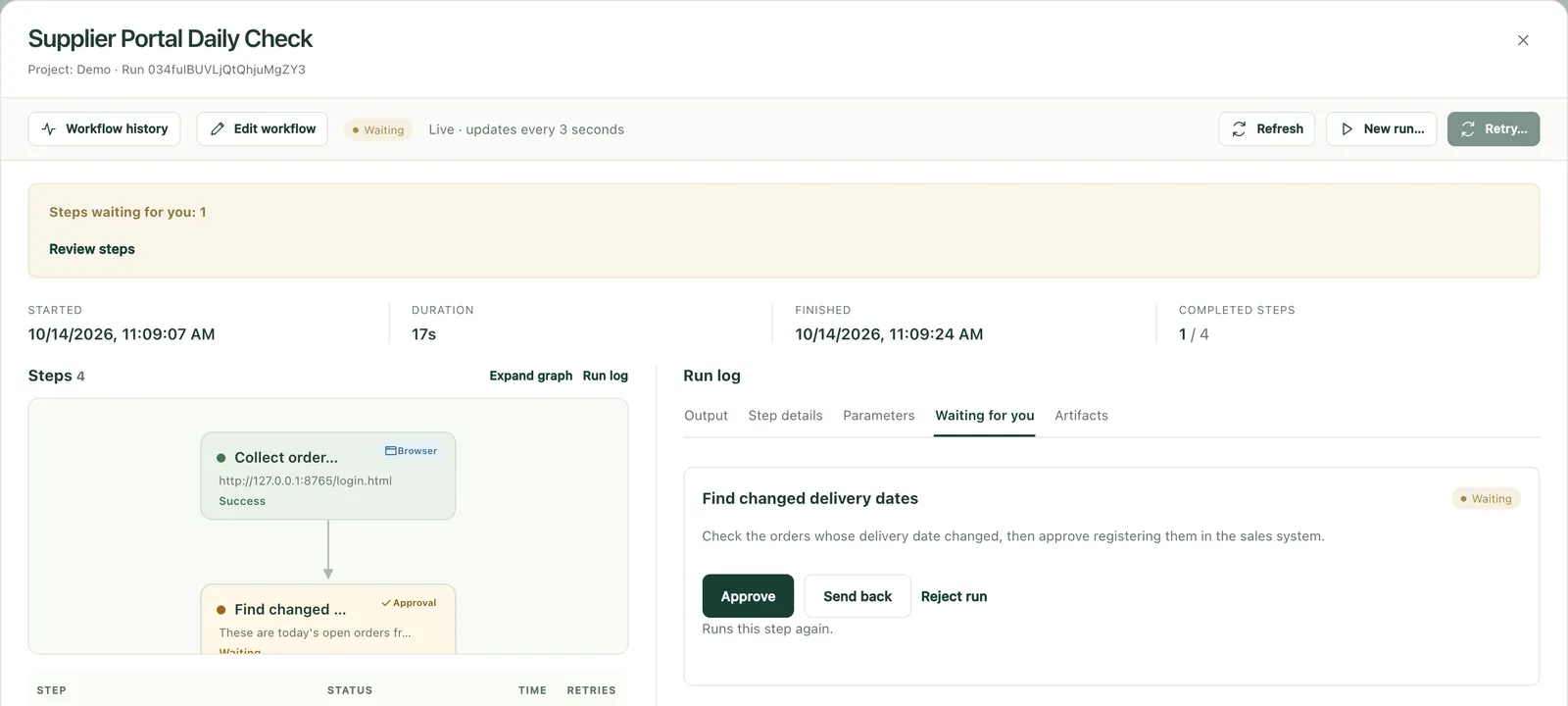
A real run in a demo environment
01How it works
Called, connected, and recorded
A workflow starts on a trigger, runs its steps in order, returns the result, and keeps a record.
- 01
Called by
Schedules, an arriving email or file, webhooks, the REST API, MCP, or a manual run.
- 02
Workflow
Connections, AI reading and judgment, a person's check, branches, and retries, run in the order you set. Each definition is a YAML file.
- 03
Connected to
Core and business systems, web systems, Windows apps, databases, file servers, and email.
- 04
Records
Every run is kept with each step's result and screenshots of each screen.
02Connection methods
Each system through its most reliable way in
One job can mix them, and the core system's code is never changed.
| Method | When | What Kitewell does |
|---|---|---|
| API | The system has an API or an integration mechanism | Calls internal and external APIs over HTTP, with steps built from imported API specifications |
| Files | It exports or imports CSV or Excel | Reads and writes files on shared folders or SFTP, and aligns their formats |
| Database | Reading the data is enough | Reads the values it needs with a read-only account |
| Screens | There is no other way in | AI operates web and desktop screens as a person would, and repeats the learned steps |
Kitewell never writes directly to a core system's database. It writes through the system's import function or its screens, so the business rules apply.
Systems it connects
03Called by
On a schedule, or from another system
EAI tools, workflow platforms, business systems, and AI agents call a Kitewell workflow as one task in their own flow.
- Schedules
- Nightly at 2:00, at month-end close, on business days only: on the calendar the work follows.
- Arriving email or files
- An order email, or a file placed in a shared folder, starts a run.
- Webhooks and the REST API
- Another system passes values in, starts a run, and gets the status and result back.
- MCP
- In-house AI agents, Claude, or ChatGPT call workflows and look up results.
04Steps
What one workflow can do
Screen operations
Web and desktop screens, written in words such as "type into the login ID field".
APIs, files, and databases
API calls, reading and writing files and Excel, and reading databases.
Document reading
AI reads orders and invoices in their own formats (PDF, fax, Excel) and extracts values with their sources.
Judgment
AI judgments carry their confidence, and only the uncertain ones go to a person.
A person's check
A check or approval before registering in a core system, where you need one.
Row by row
The same steps for each row of an Excel file or sheet, with results written back to each row.
Branches, loops, and retries
Conditional branches, loops, retries on failure, and resuming from the step that stopped.
Notifications
Results and what needs a check, sent to email, Slack, or Microsoft Teams.
05Build
Built from plain words. Kept as files.
Describe the job, and AI assembles the workflow. A person reviews and applies it before it is saved, and the result stays with you as a YAML file in Dagu's format.
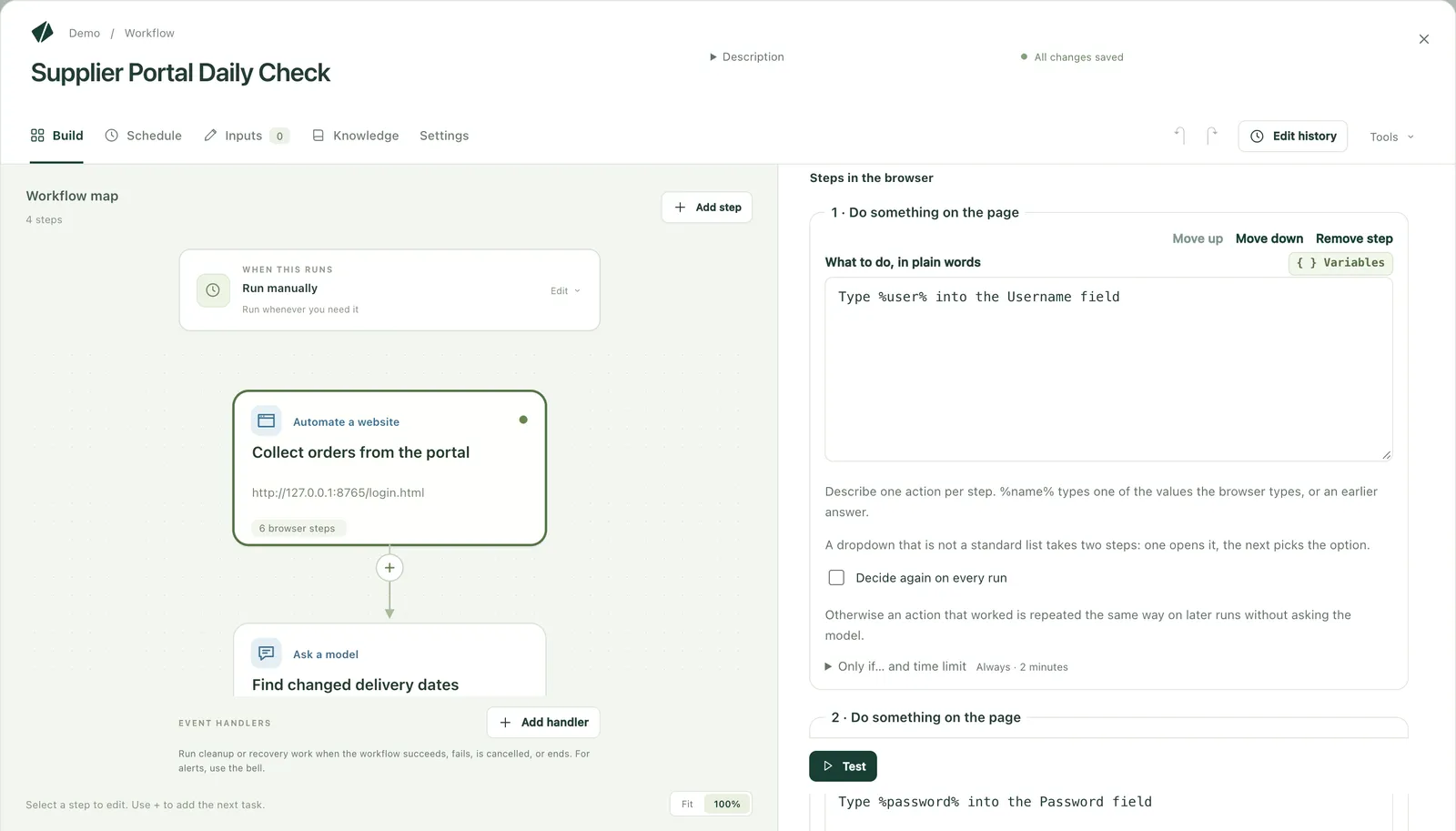
A real run in a demo environment
06Operations
Built to keep running
Keeps up with screen changes
AI relearns only the steps that no longer match, and records what it changed, screen by screen.
Resumes where it stopped
A run resumes from the failed step, and finished work is not repeated.
Run records
What went into which system is kept with screenshots.
Knowledge
Business rules and the reasons for each fix are kept in knowledge pages, so work passes between people.
Robot ledger
A ledger of every workflow exports to Excel.
Change history
Each change to a workflow is kept as a version you can go back to.
07Deployment and requirements
You decide where it runs and which AI it uses
Kitewell runs on your own computers. Workflows, run records, and credentials stay on them.
- Where it runs
- Your servers or PCs, a closed network, or VMs in your Azure, AWS, or Google Cloud
- Unattended runs
- On your servers or dedicated PCs, with nobody signed in
- AI model
- Your Azure OpenAI, Amazon Bedrock, Google Vertex AI, or a model on your own servers
- Data
- Business data, run records, and credentials stay on the computer that runs Kitewell. Only AI steps send content, and only to the model you chose
- Credentials
- Stored encrypted, and never shown to the AI
- Network
- Runs in a closed network with no internet access
- macOSSupported
- WindowsSupported
- LinuxComing
Common setups
- 01
All inside your Azure
Kitewell runs on a VM in your Azure, and AI steps use Azure OpenAI in the same tenant. Business data does not leave your Azure.
- 02
A closed network with an in-house model
It runs on your own servers with your own model, inside a network with no internet access.
- 03
Part of your own systems
Your systems send requests by webhook or API, and Kitewell operates the screens and returns the result.
08For organizations
To run it as a company
Included in run licenses
- Desktop runs on staff PCs, and unattended runs on your servers or VMs
- Cloud runs on a dedicated VM Descarty hosts
- Your company's AI services or in-house models
- Integration called from your systems by webhook, REST API, or MCP
- Invoice payment by bank transfer, in yen, on an annual contract
Management platform (cloud or on-premises edition)
- One view of every computer's status, runs, and failures, and a workspace in the browser
- SSO (SAML) and automatic provisioning (SCIM)
- Export and long-term retention of an audit log of every change and run
- Roles per project, and policies for which sites and apps workflows may use
- A closed-network setup that keeps sync inside your environment
- Separate development, test, and production environments, with promotion between them
09Where it fits
Alongside the tools you already run
Sometimes you don't need Kitewell. Keep using your tools for what they already do.
| Tool | Best for | With Kitewell |
|---|---|---|
| EAI and data integration tools | Bulk data integration through APIs, files, and databases | Keep bulk on the EAI; give Kitewell the screen-only partners and mixed jobs. The EAI can call Kitewell |
| Desktop RPA | High-volume, fixed steps on screens that rarely change | Robots that stop when screens change move to Kitewell with the same steps |
| iPaaS and cloud automation | Connecting SaaS apps in the cloud | Kitewell takes the in-house end and is called by webhook |
| Workflow and BPM products | Requests and approvals that people move along | Kitewell runs a flow's system operations as one task |
| Custom interface development | High-volume integrations that rarely change | Closes the remaining seams without changing the old system or waiting for the new one's API |
See it run on your own systems
Tell us the systems you need to connect and the ways in they offer, and a demo and a connection test will show you Kitewell running.