Ask, and the workflow is built
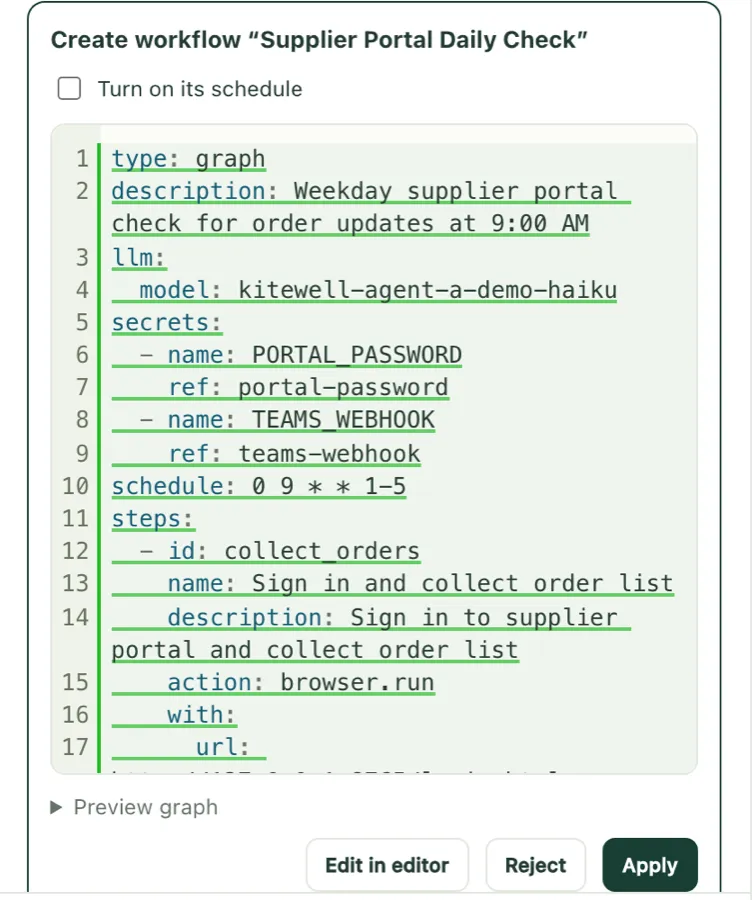
Say what you want in your own words, and the assistant builds a workflow and proposes it.
Nothing is saved until you choose Apply.
AI handles the web operations, people make the decisions. Business automation you build and fix by talking to an AI assistant.
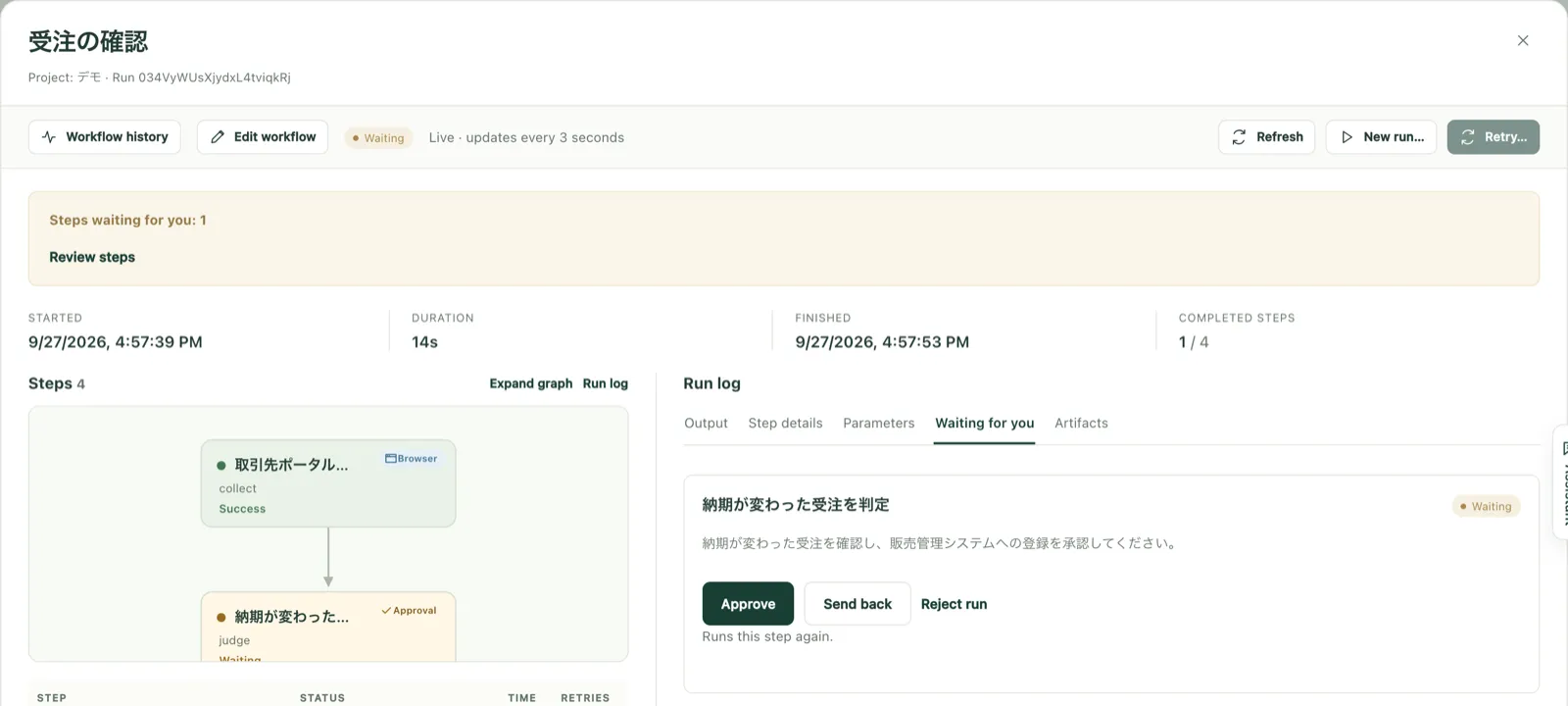
The interface comes in six languages, including Japanese and English. Chat and steps work in any language your chosen AI model supports. Screens are from a demo environment with fictional data.
A small change to a web system stops the robot.
When that person moves on, nobody can.
Robots multiply across departments, unseen.
Say what you want in your own words, and the assistant builds a workflow and proposes it.
Nothing is saved until you choose Apply.
Write steps such as “enter the login ID”, and AI reads the screen to carry them out. A small screen change does not mean rewriting the steps.
Passwords are named, never shown to the AI.
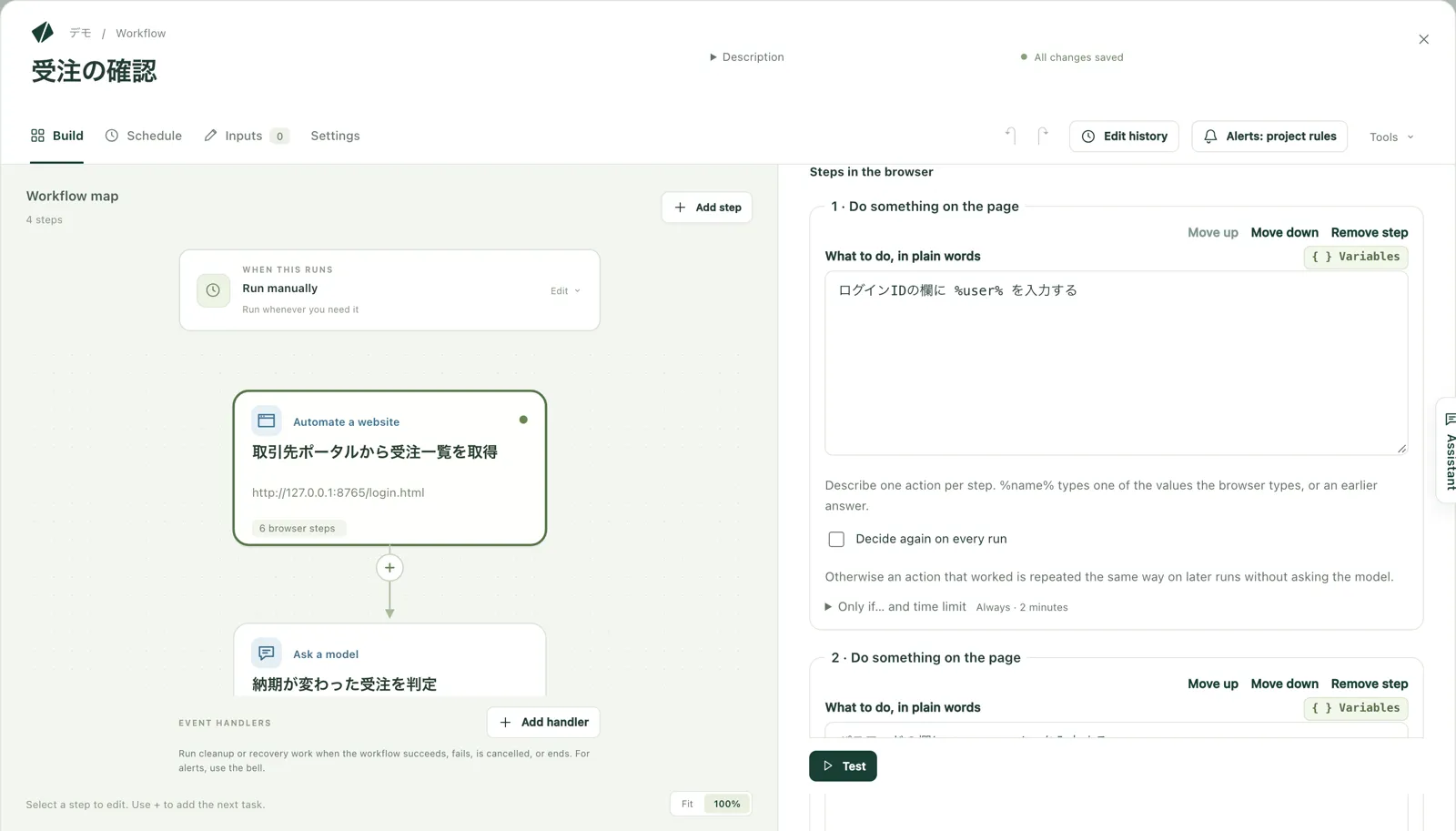
From the step that stopped, ask the assistant about the cause. Once fixed, run again from that step.
Completed steps keep their results.
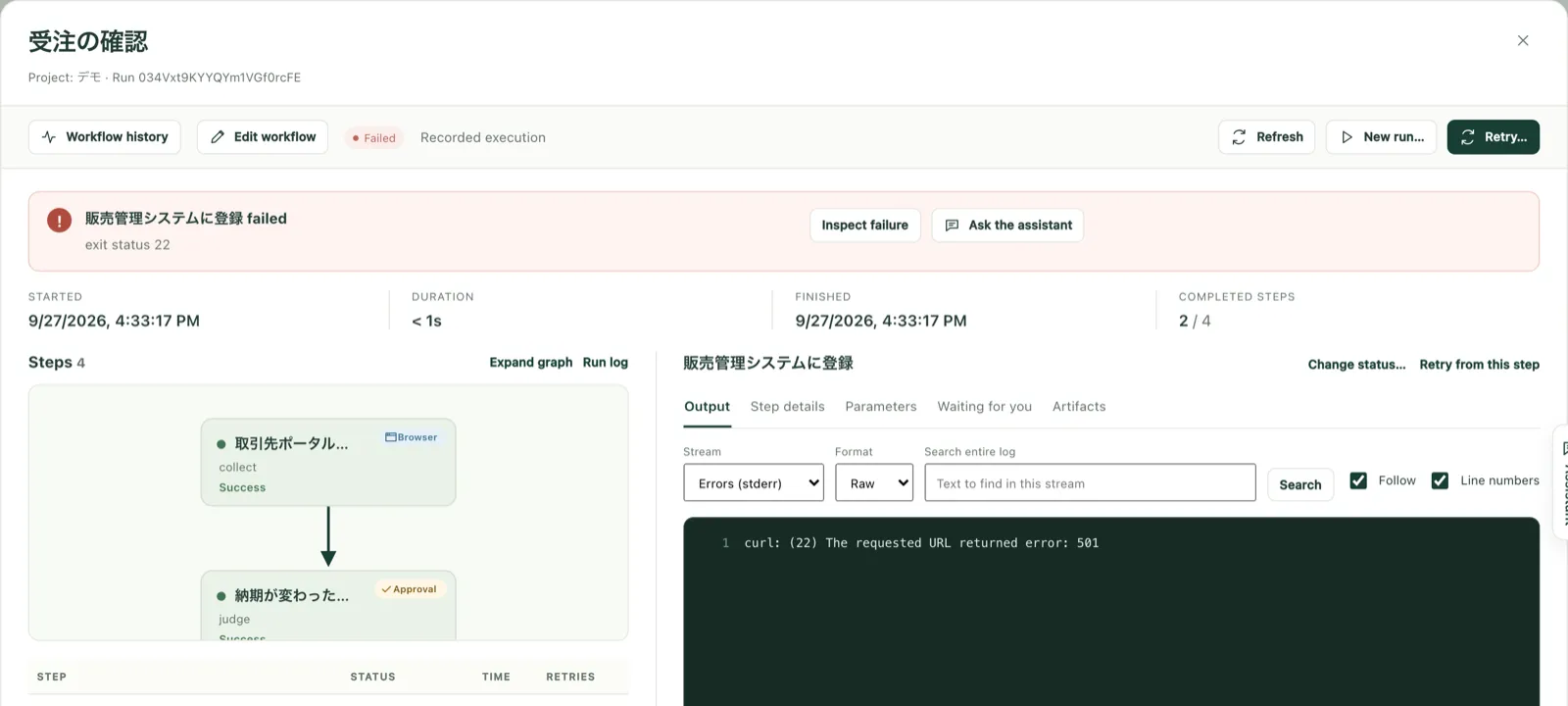
Add an approval to any step. Who decided what, and when, is recorded.
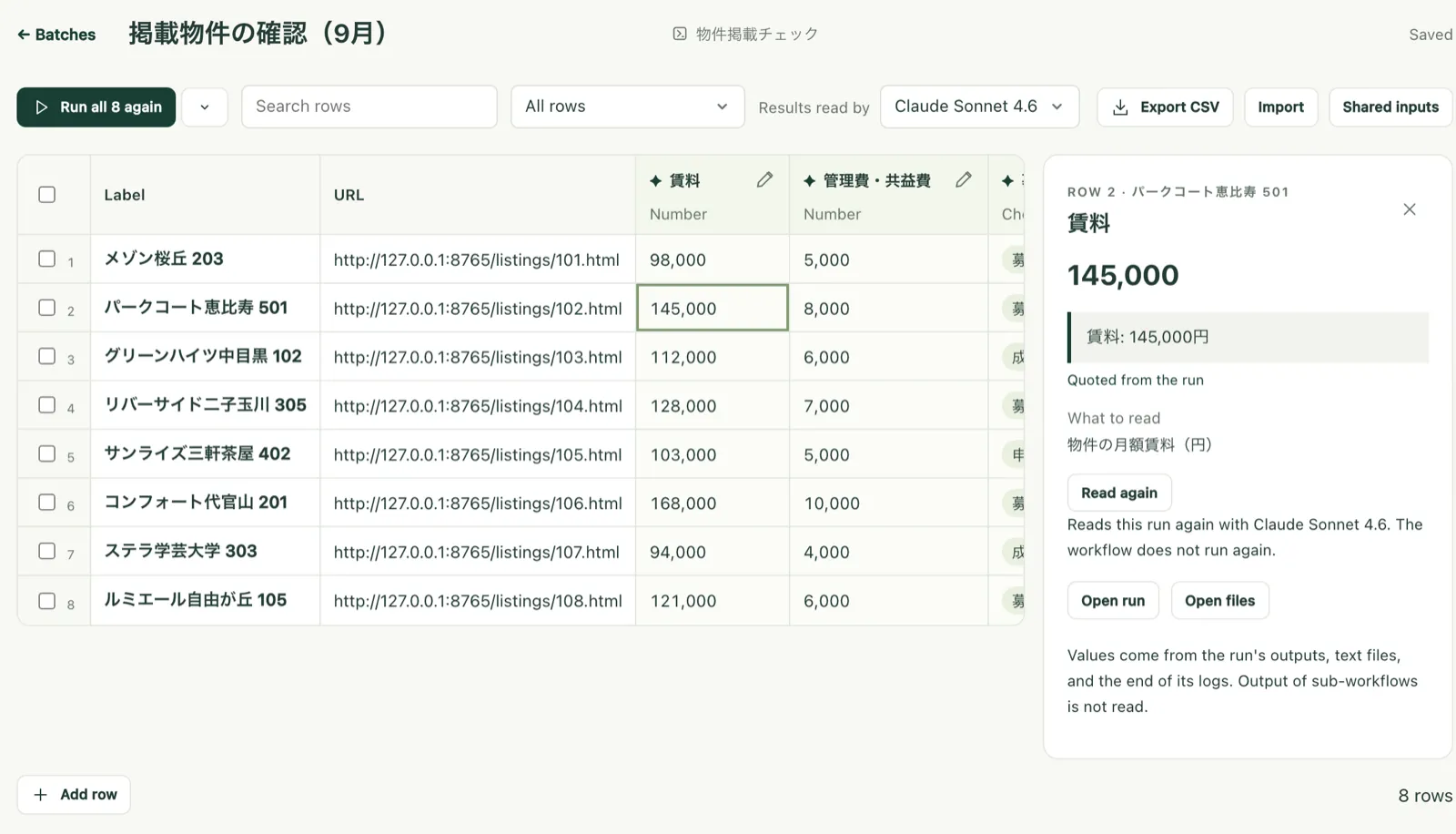
Paste a spreadsheet list and run once per row. Values AI reads come with the quote they came from.
Logs and screens for every run, and every version of every workflow.
Kitewell runs on Dagu, the open-source workflow engine Descarty develops. You are never locked in to one vendor.
Every morning, collect new orders and delivery date changes from several customers' supplier portals and, after review, record them in the sales system.
AI reads incoming invoices, checks them against purchase orders, and records them in the accounting system. Invoices whose amounts differ wait for approval.
Compare your property register with what each listing portal shows, and flag differences in rent or availability to the person responsible.
Collect user lists from each SaaS admin console and match them against current employees. Accounts of leavers or long-unused accounts are disabled only after approval.
For a list of hundreds of companies, collect what each does, where it operates, and its size from its website, and build a list sales can prioritize.
Search news and public sources for each new business partner, and have AI flag anything that needs checking. A person makes the final decision.
Choose one to three real tasks, and a PoC measures the effect on the same screens and data as production.
1
We learn about your work, problems, and RPA.
2
Agree on the tasks and success criteria.
3
Build workflows on your real screens and data.
4
Run them on real data and report the results.
Tell us which work you have in mind, and we will propose how a PoC would run.