Solutions
Connect the seams a core-system overhaul leaves, without custom interfaces
Even when the new core system has an API, the surrounding systems, partners' portals, and the old system still running in parallel may not. Kitewell is integration middleware that connects systems through APIs, files, databases, and screens. It works screen-only systems the way a person would, and when screens change from one test round to the next, AI relearns the steps.
01The seams
Six seams an overhaul leaves
Outside the overhaul's scope, and while old and new systems trade places, people fill the gaps by hand.
Double entry during parallel runs
While old and new systems run side by side, the same orders and slips are entered in both.
With Kitewell
Kitewell takes what went into one and enters it through the other's screen or import, then compares both results and reports the differences.
Surrounding systems with no API
The new core system may have an API, but department systems, Windows apps, and old web systems have no way in.
With Kitewell
Kitewell connects screen-only systems by working their screens the way a person does. Nothing in those systems is changed.
Partner and industry portals
Orders and delivery-date replies on Web-EDI and customers' portals stay outside the overhaul's scope.
With Kitewell
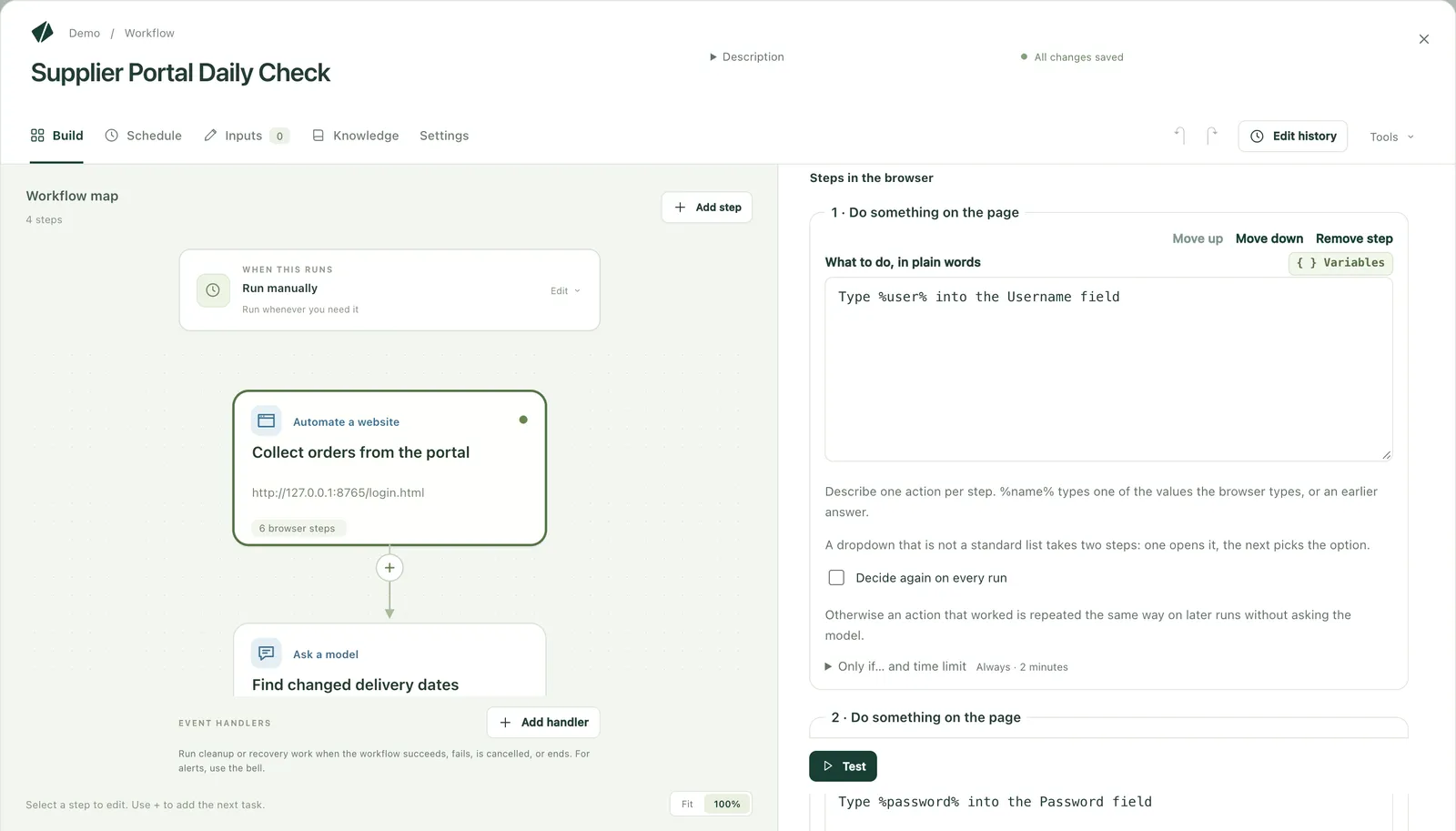
Kitewell takes orders from the portal, enters them in the new core system, and puts the replies back on the portal.
Migration data with no bulk load
Masters, balances, and other large volumes move through migration tools and bulk imports. Fields only a screen accepts, and checking the result, are still left.
With Kitewell
Kitewell enters the fields only a screen accepts, reads migrated data back on the old and new screens to compare, and keeps the results on record.
RPA built on the old screens
Today's robots were built for the old system's screens, and they stop when those screens change.
With Kitewell
The migration tool reads each robot into a Kitewell workflow, and AI relearns the steps on the new screens.
New screens that change every test round
During build and testing, the new system's screens change again and again, and automation tied to them needs fixing each time.
With Kitewell
When buttons move or fields are renamed, AI reads the screen again, relearns the step, and records what it changed.
02See it run
The screens were redesigned, and entry went on
A real run: Kitewell uses AI to read customers' orders and enters them in a sales system with no API. After the sales system's screens are redesigned, AI reads the new screen and keeps entering. Screens that change during an overhaul's testing are relearned the same way.
A real run in a demo environment40 seconds, narrated, with captions
03By phase
How it is used in each phase
What Kitewell takes on in each phase, from requirements to after go-live.
- 01
Requirements
While the interface list is drawn up, find the partners with no API. A connection test confirms on real screens whether screen-only systems and portals can be reached, so they enter the requirements as interfaces Kitewell connects.
- 02
Build and test
Workflows enter test data and check results on the new screens. When screens change from one test round to the next, AI relearns the steps.
- 03
Parallel run and migration
Kitewell takes the double entry into old and new systems and checks migrated data on screen. Only the differences reach a person.
- 04
After go-live
Links to surrounding systems and portals keep running as production integrations. Workflows built for the parallel run are simply switched off. When updates change the new system's screens, AI relearns the steps.
04Compared
Compared with custom interfaces and manual workarounds
High-volume integrations with an API stay on your EAI or custom interfaces. Kitewell suits partners that only have a screen, and links needed for a limited time.
| Aspect | Custom interface development | Manual workarounds | Kitewell |
|---|---|---|---|
| What it can connect | Systems with an API or an import. Otherwise the other side needs changing | Any system | Any system with an API, files, a database, or a screen, including screen-only systems |
| Getting started | Needs design, development, and testing phases | Immediately | Describe the work in plain words to build the workflow, then confirm it in a connection test and a PoC |
| When screens or specs change | Change and retest the interface | People relearn the work | AI relearns the steps and records what it changed |
| Temporary links for the parallel run | Even temporary ones cost design, development, and testing | Takes people's time for the whole period | Build a workflow, and switch it off when the parallel run ends |
| Records | Whatever was built in | Rarely kept | Every run, with screenshots |
| Cost | Estimated by development effort | Staff hours and overtime | A license set by where it runs and how many run at once (unattended runs quoted) |
05Called from your flows
One task in a workflow platform's or EAI tool's flow
Workflow platforms such as intra-mart and Camunda can call Kitewell by webhook or REST API. Hand Kitewell only the work with systems that have no API, and the result goes back into the flow. EAI tools can call it the same way, so high-volume transfers stay on the EAI and only screen-only partners go to Kitewell.
Callers
- intra-mart, Camunda, and othersWorkflow platforms, by webhook or REST API
- EAI toolsMid-flow, by webhook or REST API
- AI agentsOver MCP
Your environment
- KitewellConnects through screens, files, databases, and APIs
- Surrounding systems with no APIWorked on screen, as a person would
- Partner portalsOrders taken, replies returned
Results
- The calling flowResult returned over HTTP
- Completion noticeBy signed webhook
06For SIers
For SIers running the overhaul
Within an overhaul project, an SIer can propose Kitewell, build on it, and deliver it into the customer's environment as integration middleware.
- Interfaces with no API inside the proposal
- Links to screen-only systems and portals can go into the proposal and the estimate without changes on the other side or custom development.
- Fewer reworks when screens change
- When screens change from one test round to the next, AI relearns the steps. What it changed is on record, so it can be reviewed.
- Deliverables are files
- Workflows are YAML files people can read. Review them next to the design documents, put them under configuration management, and hand them over.
- Runs in the customer's environment
- On the customer's servers, closed networks, Azure, AWS, or Google Cloud. The customer chooses the AI model.
- Licensed by where it runs
- Desktop, unattended (your servers or VMs), and cloud run licenses and the management platform, combined to fit the project. It updates itself, so updates take no work. Partner terms are agreed individually.
Frequently asked questions
- If the new core system has an API, do we still need Kitewell?
- Keep connecting through APIs and your EAI where an API exists. Kitewell takes what an API cannot reach: surrounding systems with no API, partners' portals, the old system during the parallel run, and checks on screen. An EAI flow can also call Kitewell to combine the two.
- Can it be used for data migration?
- Move masters, balances, and other large volumes with migration tools or bulk imports. Kitewell takes the fields only a screen accepts, and checks migrated data by reading it back on the old and new screens. Volumes and run times are confirmed on real screens in the connection test.
- Does it keep working when screens change every test round?
- When buttons move or fields are renamed, AI reads the screen again, relearns the step, and carries on. What it changed stays in the run record, so it can be checked along with the test results. When AI cannot fix it, the person in charge is told where it stopped.
- What happens after the parallel run ends?
- Workflows for double entry are simply switched off. Links to surrounding systems and portals keep running as production integrations. The license depends on how many computers run it.
- Can an SIer build it into a proposal and a delivery?
- Yes. Propose Kitewell as integration middleware, build the workflows, and deliver them to the customer as YAML files. Partner terms are agreed individually.
- Does it run in a closed network or in our own cloud?
- Yes. Kitewell runs on your servers, PCs, closed networks, or VMs in Azure, AWS, or Google Cloud, and its workflows and run records stay there. Choose the AI model from Azure OpenAI, Amazon Bedrock, Google Vertex AI, or an in-house model.
Test the seams your overhaul leaves
Tell us the surrounding systems or portals that need connecting. A connection test shows on real screens whether Kitewell can connect them.