Solutions
Build AI automation in-house, and keep fixing it in-house
AI agents and automation need fixing long after they are built: when an AI model is retired, when a screen changes, when a business rule changes. Descarty supports the staff who know the work until they build automation with Kitewell and can fix it themselves when things change.
01After the build
Three changes that keep it from ever being finished
Each time you wait for a contractor's quote and fix, the work goes back to being done by hand.
An AI model is retired
The model you use is retired, or a new version behaves differently.
In Kitewell
Models are registered in one place, and workflows refer to the registration. Change it there and every workflow using it follows. Screen operations already learned are not tied to a model, so nothing has to be relearned.
A screen changes
A customer's site or an internal system changes its screens, and learned steps no longer match.
In Kitewell
AI relearns only the steps that no longer match and records what it fixed, screen by screen.
A business rule changes
Approval conditions, closing dates, or the fields to enter change.
In Kitewell
Ask the assistant, and it shows the change and a flow diagram. Nothing is saved until you press Apply, and you can return to an earlier version.
02What we do
Beside your staff until they can fix it themselves
We build the first piece of work together and take you through fixing a real change. What gets built, and the ability to fix it, stay with you.
- 01
Choosing the work
Together we pick, from the work a contractor fixes for you or the work that changes often, what pays off most to fix in-house.
- 02
Designing exceptions and approvals
With an experienced engineer, you decide how exceptions are handled, where people check, and what is recorded.
- 03
Your staff build it
Your staff build the workflow by talking with Kitewell's assistant. In the one-month onboarding, the developer is beside them online.
- 04
Your staff fix it
On a real change, they learn how to fix a changed screen or rule, read the failure diagnosis, and return to an earlier version.
- 05
Spreading it in-house
Reasons for fixes go into knowledge pages, and you set up the robot ledger and how development, staging, and production are separated, then spread it to other work and departments.
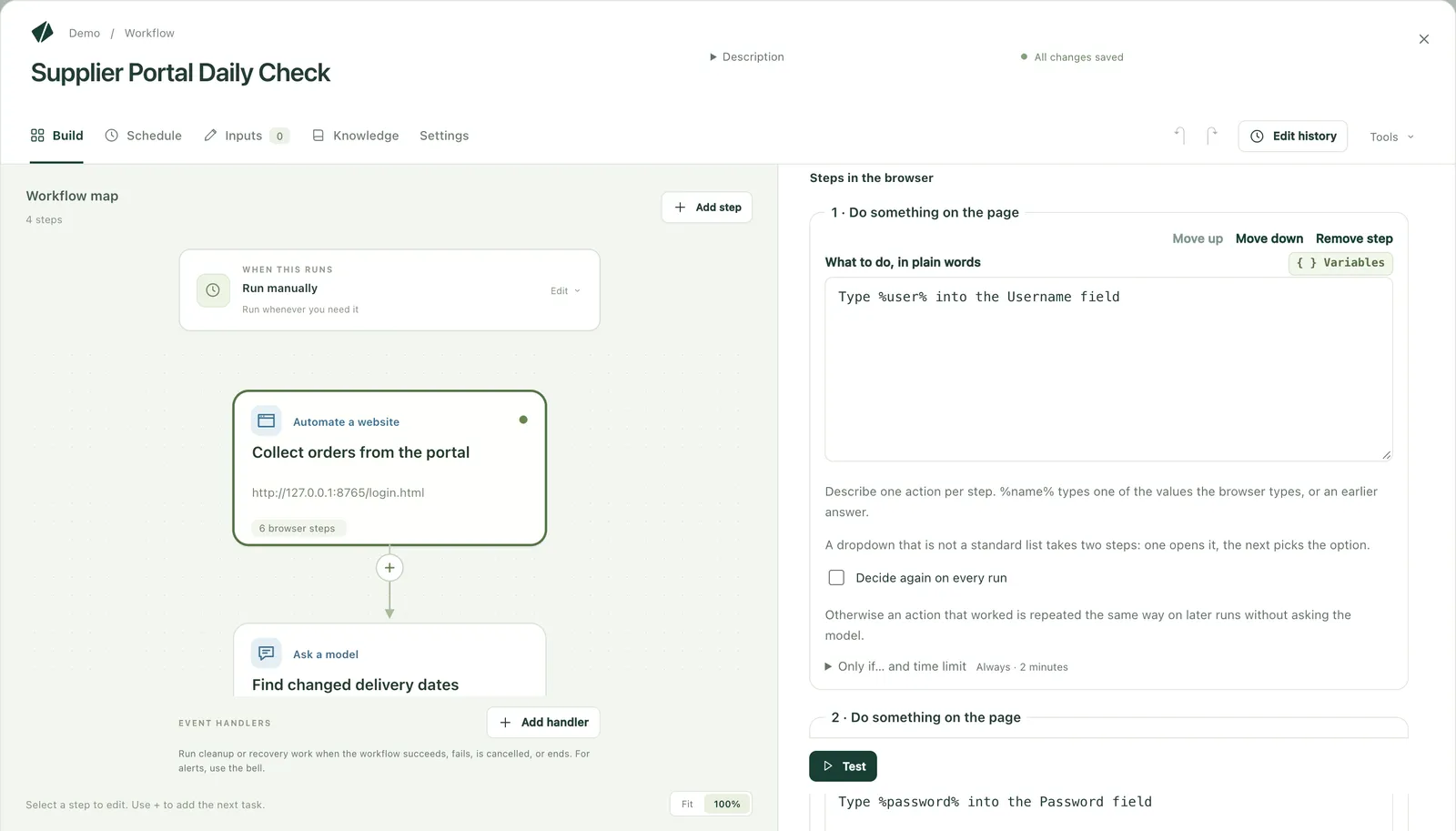
The only paid support is the one-month onboarding, where we build your first job together. We do not visit, and we do not build it for you.
03Comparing the approaches
Choose by how fast it gets fixed, not how fast it gets built
Four ways to take on AI automation, compared by who fixes a change and how quickly.
| Compared | Outsourcing | A vendor's embedded engineer | In-house engineers | Staff who know the work, with AI |
|---|---|---|---|---|
| Who builds | The contractor | The vendor's engineers, with your team | Your engineers | Your staff who do the work |
| One change | Request, quote, rework, acceptance | Fast during the contract; afterwards, your team or a contractor | Fast when an engineer is free | Staff fix it on the spot |
| What stays with you | A running system | Depends on the handover | The system and engineers who can build | The system and staff who can fix it |
| Suited to | Work that won't change for a while | Work needing deep product knowledge or complex integration | AI built into your own products and services | Internal work that changes often |
04Alongside integration
Integration built with support, changing work kept in-house
Connections to core systems and partners, and internal work that changes often, are built on the same Kitewell. Your own staff build and fix both.
Integration with systems that have no APICore-system overhaul
Frequently asked questions
- Can the staff who do the work build AI automation?
- For internal work, yes. Describe the steps in business terms and AI builds the workflow. Exceptions and where to put approvals go faster when decided with an experienced engineer at first.
- Can an AI agent a contractor built be moved in-house?
- Start by listing what runs where, then move what stops most and changes most first. Before moving anything, check the contract for who owns what was built and what handover documents you get.
- Can it connect to our own AI agents?
- Yes. Your AI agents, Claude, or ChatGPT can call Kitewell workflows over MCP and look up their results. AI agents such as Claude Code and Codex can also run as steps in a workflow.
- Does it run on our own computers, and can we choose the AI model?
- Kitewell runs on your computers. The AI model is your choice of Azure OpenAI, Amazon Bedrock, or Google Vertex AI under your contract. Use with no internet access and with a model on your own servers is being verified; please ask.
Build one automation you can keep fixing in-house
Tell us about one piece of work a contractor fixes for you, or one that changes often. We will explain how to proceed and how we support you until you can fix it yourselves.